Mass Approval
Last updated: March 20, 2026
How to enable
This feature is accessible on a per company basis and requires an FI representative to enable. If the option isn't available when editing the company's permissions please reach out to PayRecs support in order to enable this feature.
Getting started
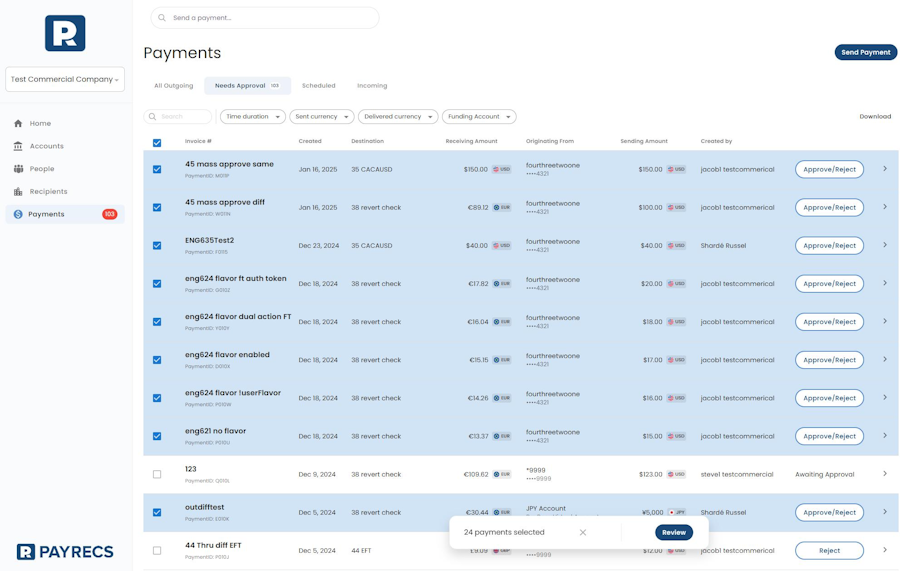
Create all of the payments that you intend on approving. Navigate to the Payments menu and select the "Needs Approval" section.
This will display check boxes next to all of the payments available for approval. Select the desired payments and select the "Review" button at the bottom of the display to continue with the approval process
Note: Some payments may not be available to check for mass approval. This means that you do not have permission to approve the payment. You FI representative can review the following to resolve this:
Self approval permission - You have created the payment, but you are unable to approve your own payments.
Lack account entitlements - PayRecs requires at least Withdraw account entitlement on the funding account in order to create and/or approve a payment. This will need updated in your online banking profile.