Editing User Permission
Last updated: March 20, 2026
How to Edit User Permissions
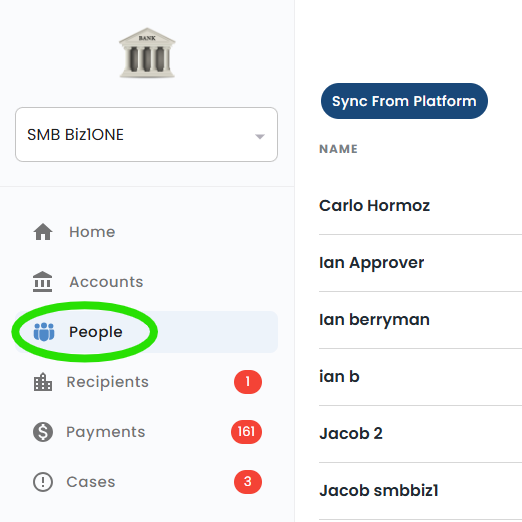
To update user permissions for individuals within your company, navigate to the "people" tab in the top menu.
Generally only Q2 administrators will have the ability to edit users. This is tied to the "Manage rights for all users" permission in Q2.;
Edit User
Click on the User's name and select "Edit User".
OR
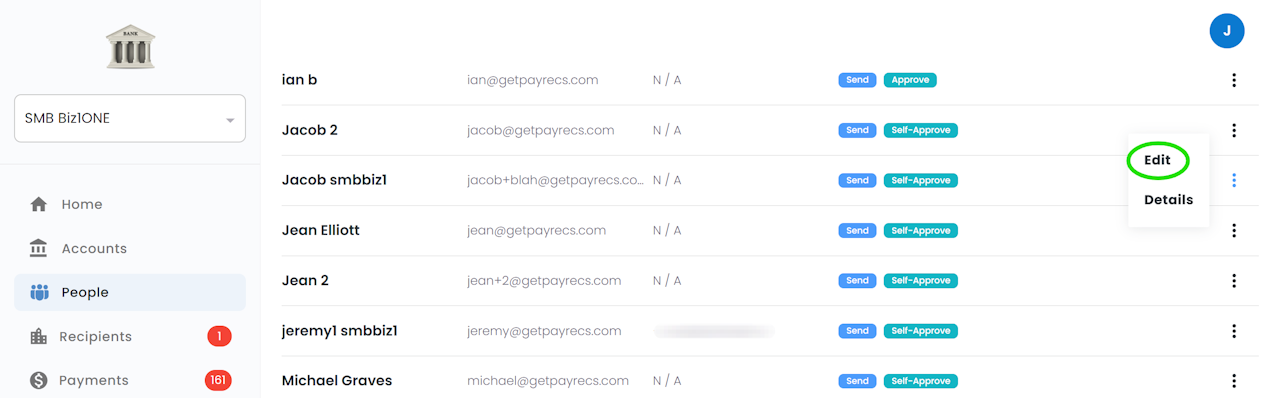
Hover your mouse over the 3 dots on the right side of the user and select "Edit".
User Limits
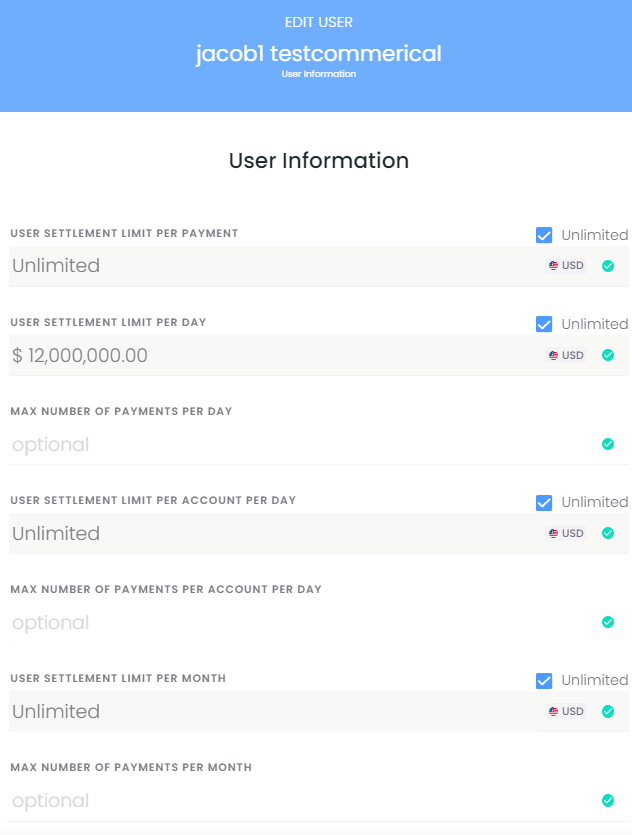
From here you can set the limits for this user. Selecting "Unlimited" will set the maximum that is set at the Company Level.
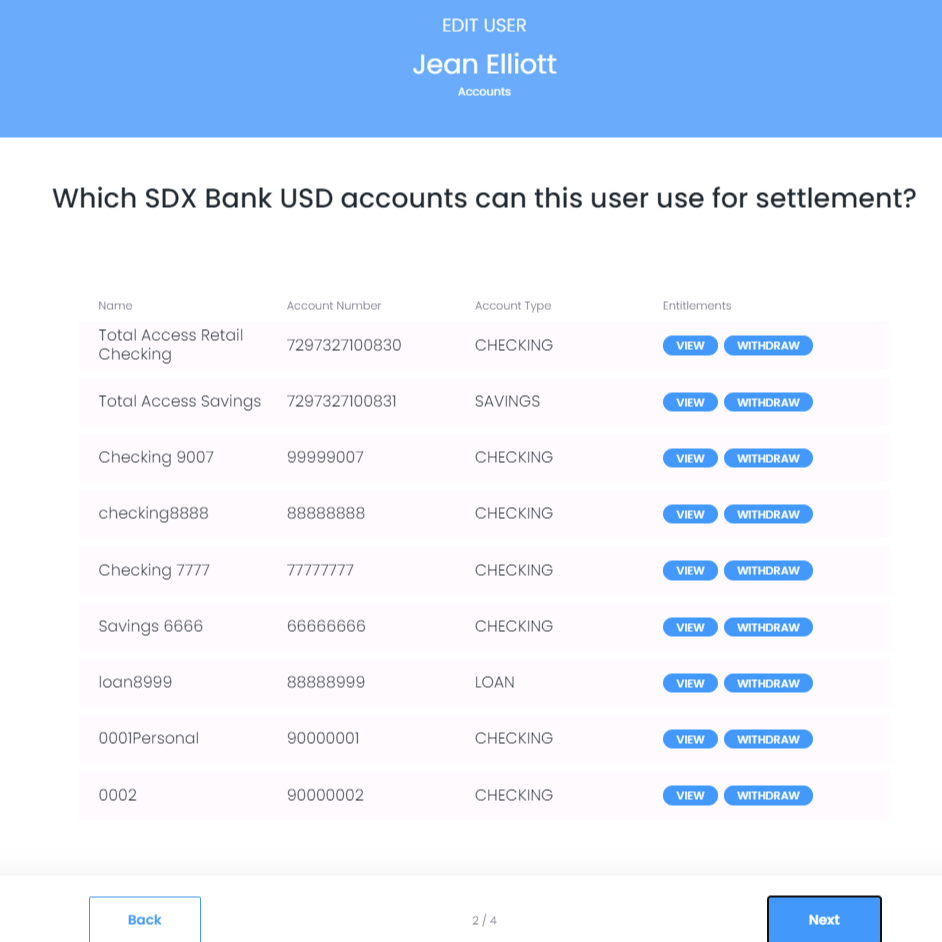
Bank Account Access
Read-only permissions for available funding accounts are displayed for this user. In order to edit these entitlements, you will need to adjust these permissions directly in Q2. If Withdraw is not present, payments cannot utilize that account.
If any of these accounts will not be utilized in PayRecs by any users, an administrator at the bank will need to edit the company and uncheck the desired account. Editing Company Permissions link below will provide steps on editing the company.
User Permissions
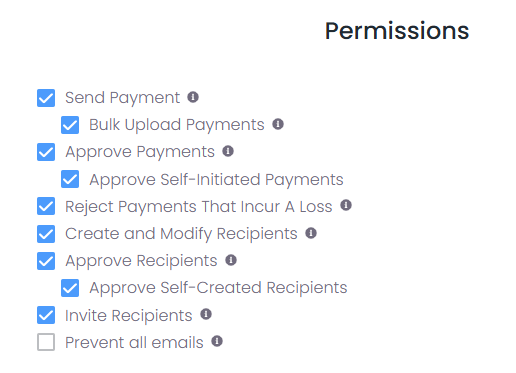
You can edit the permissions of the user here. Below is a list of permissions and an explanation for each one:
Send Payment: The user can send payments
Request Payment: The user can request payments
Approve Payments: The user can approve or reject payments before they are submitted
Approve Self-Initiated Payments: The user can approve or reject payments they have initiated
Reject Payments That Incur A Loss: The user can reject payments that will result in an FX loss
Create and Modify Recipients: The user can create and modify recipients for payment
Approve Recipients: The user can approve recipients to be used for payment
Approve Self-Created Recipients: The user can approve recipients they have created
Invite Recipients: Client can invite the recipient to create their own recipient in PayRecs.
Prevent all emails: Opt the user out of all emails
Read-only Permissions
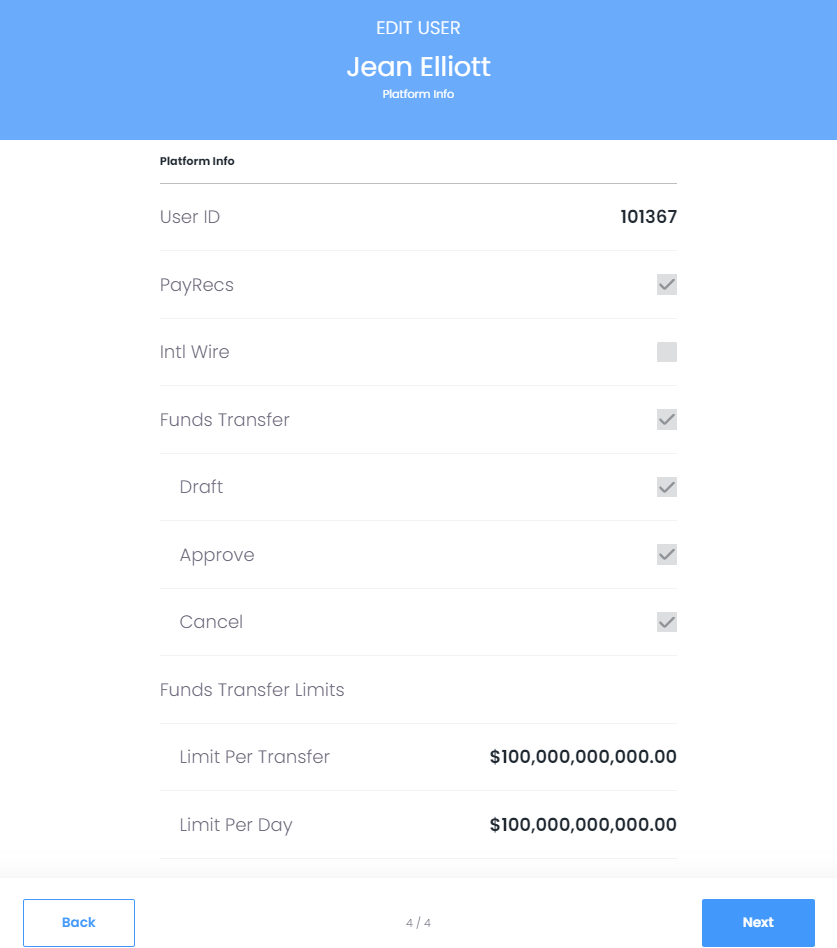
Funds Transfer, Funds Transfer Limit, and other permissions from the online banking platform are displayed here. These can be edited in the online banking platform, which can be reflected here.