Reject a Payment
Last updated: March 20, 2026
After a payment has been submitted, the dual approving user can reject the payment when it is in a "Waiting for Approval" status.
Please Review the option "FX Transactions: Live Rates and Rejections" below, prior to rejecting a wire to understand FX Rates and the risk of rejecting.
If dual approval is not configured, please reach out to your Bank in order to reject the payment. Please note if the payment is already released, it is largely ineffective to attempt a recall for international wires. We recommend reaching out to the recipient directly to have them send the wire back once they receive it.
Select "Recall process" below to learn why recalls are not recommended.
Users that have approval permissions, please follow the next steps to learn how to reject a payment.
Navigate to Payments
Navigate to the "Payments" menu in the PayRecs app and find the payment that you would like to reject.
Select the "Approve/Reject" button for the corresponding payment.
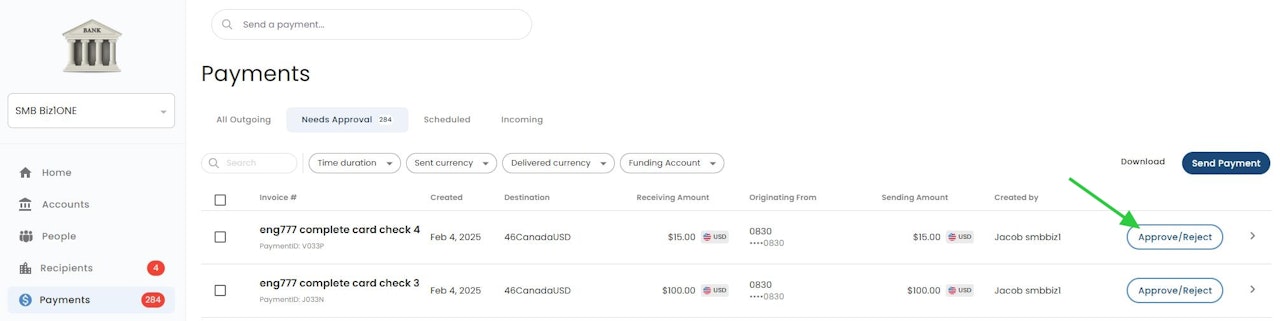
Initiate Payment Reject
Select the "Reject" option after reviewing the payment details.
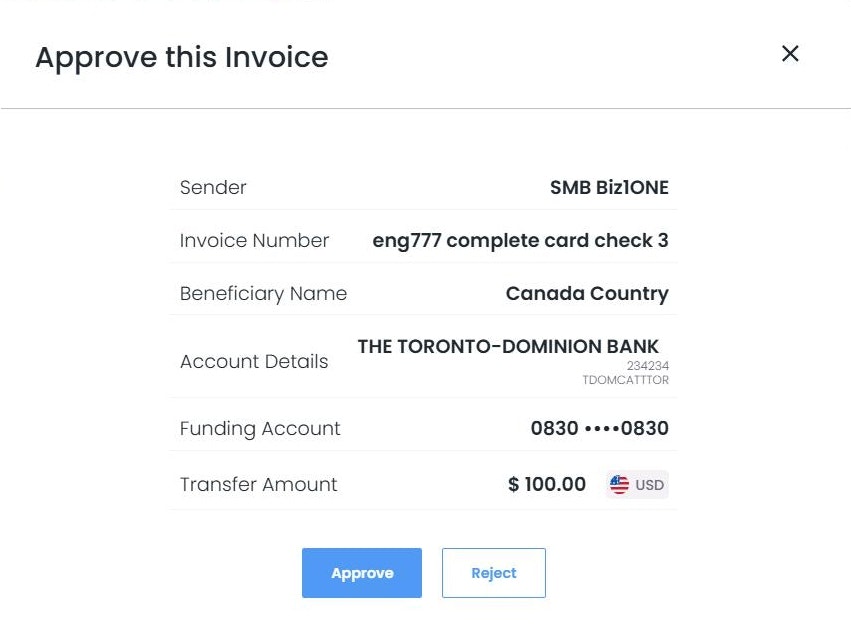
Confirm Cancellation
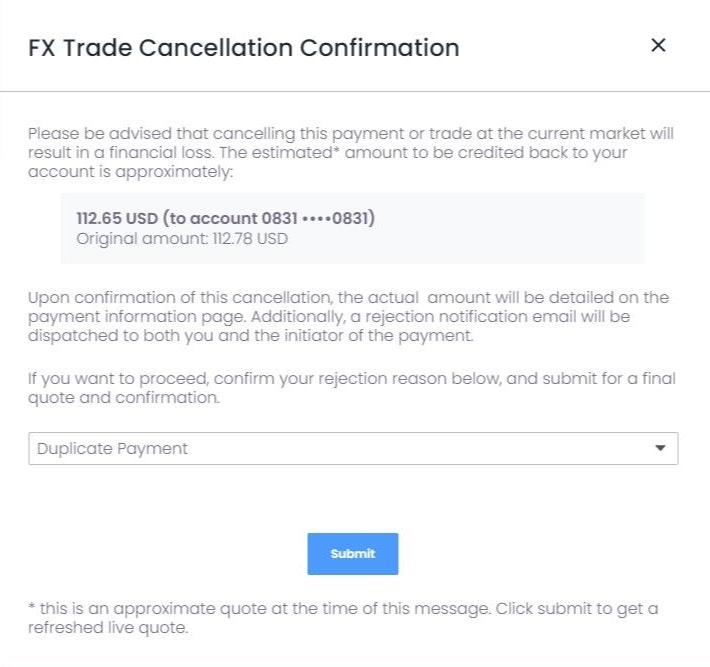
Select your Reason for Rejection
If a trade exists, additional information will display indicating a potential loss resulting in rejecting the wire and converting the funds back to the original settlement currency.
The bold amount will be returned to your account by End of Day. If you need the funds returned sooner, please reach out to your Financial Institution and request if they can return them sooner.
Select "Submit" to accept the rejection.
If the wire was rejected the following day of its creation, please expect 1 business day to receive the funds.
📄 Recalling a Wire 📄 FX Transactions: Live Rates and Rejections